How to do Cors configuration For AWS S3 Bucket to make it work on React website?
How to do Cors configuration For AWS S3 Bucket to make it work on React website?
In short:-
Issue on frontend:- Access to fetch at ” api” from origin “websiteurl” has been blocked by CORS policy: No ‘Access-Control-Allow-Origin’ header is present on the requested resource. If an opaque response serves your needs, set the request’s mode to ‘no-cors’ to fetch the resource with CORS disabled.
Solution:-
Go to s3 console
- Permissions
- scroll to the CORS setting
- copy paste this:-
[
    {
        "AllowedHeaders": [
            "*"
        ],
        "AllowedMethods": [
            "GET",
            "HEAD"
        ],
        "AllowedOrigins": [
            "*"
        ],
        "ExposeHeaders": [],
        "MaxAgeSeconds": 3000
    }
]
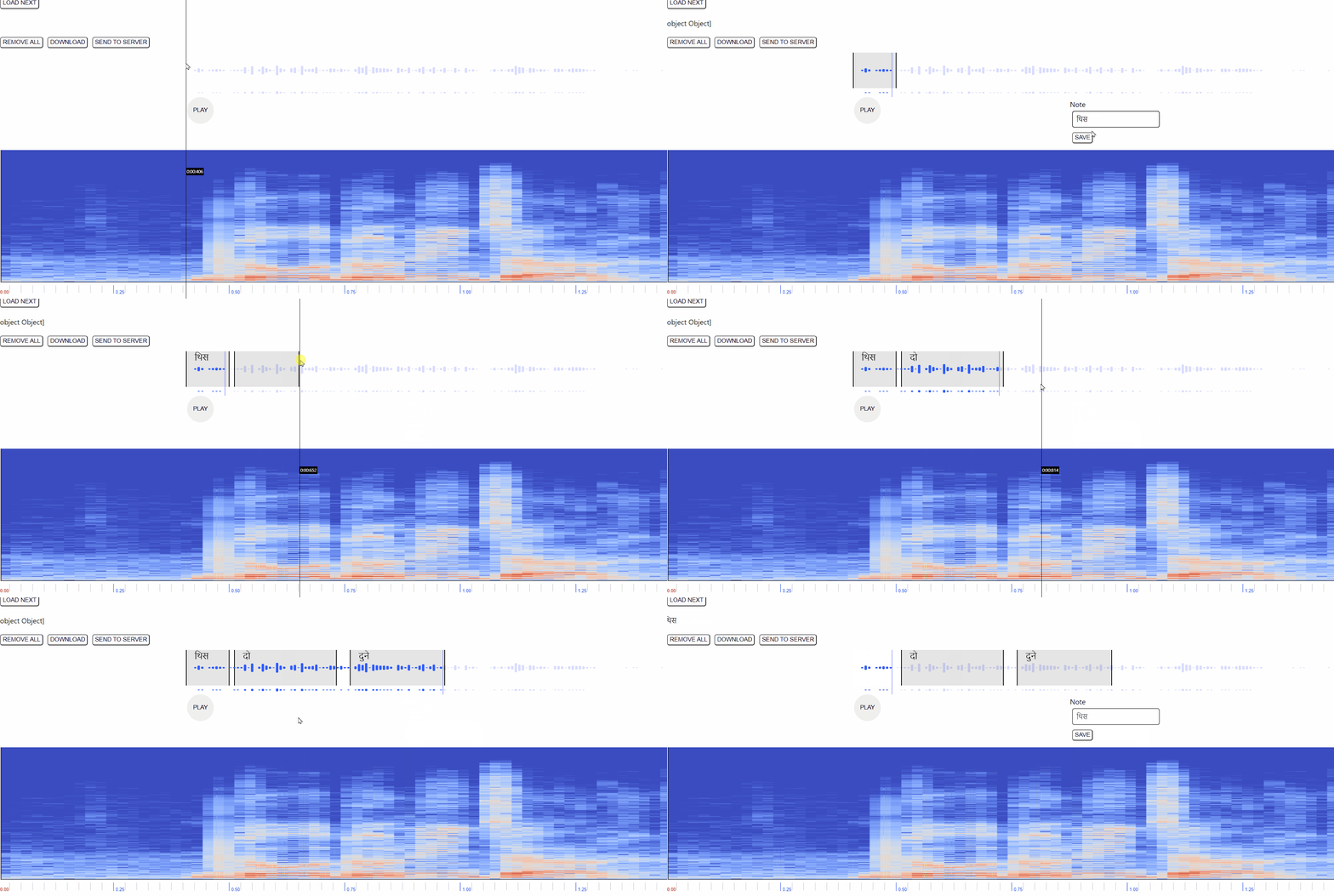
Backstory:- Recently, I just joined a new startup. The guy wanted me to make this speech annotation app on a website with react, so that user can annotate the timestamp regions and give a label for that.
Features:-
- Simple Audio player playing the url from API.
- Waveform from the Audio
- Drag and Drop on the waveform to make the region.
- Form - that appear on clicking the region.
- Label should appear on the region.
- Send a post request to the api.
Library used:-
- Wavesurfer.js ---> best library to make this, already had a very good example of Speech annotation on their website and code execution can be found on the github.
Time taken :- 2-3 days to make the prototype
Here how the app looks like:-